How to Build Your Operating System Using Codex, for Beginners
Codex is a beast for automating workflows, but only if you know how to setup the right systems around it

At LevelUp Labs, We’ve migrated a huge part of our company workflows to Codex and now use it for several automations. It’s cost friendly, has generous limits, and is a powerful harness not just for writing code, but for handling many different kinds of tasks.
Most of the content out there is still a rundown of features. It tells you what Codex can do, but not how to combine those features into a useful system, which use cases it’s actually good for, or how to set it up so it becomes part of the way you work.
That’s pretty much the intention of this video: to give you an overview of what Codex can do and the operating system you need to build in order to make it work well. It mirrors how we use Codex inside our company and how we’ve built an operating system underneath it, with Codex features sitting on top.
The important part is that the operating system isn’t tied to Codex. If we decide to experiment with another harness or move to a different system later, the underlying structure stays intact. We can simply plug in a new tool without rebuilding everything from scratch.
It’s extremely beginner friendly, but it still covers nearly every major Codex feature and shows how to use each one in a real system. We’ll cover how to build a strong knowledge layer, work with plugins and skills, create personal evals, and use Codex Threads, slides, and other features. Here’s everything we cover in a 17 min video (phew, that’s a lot now that I see it).
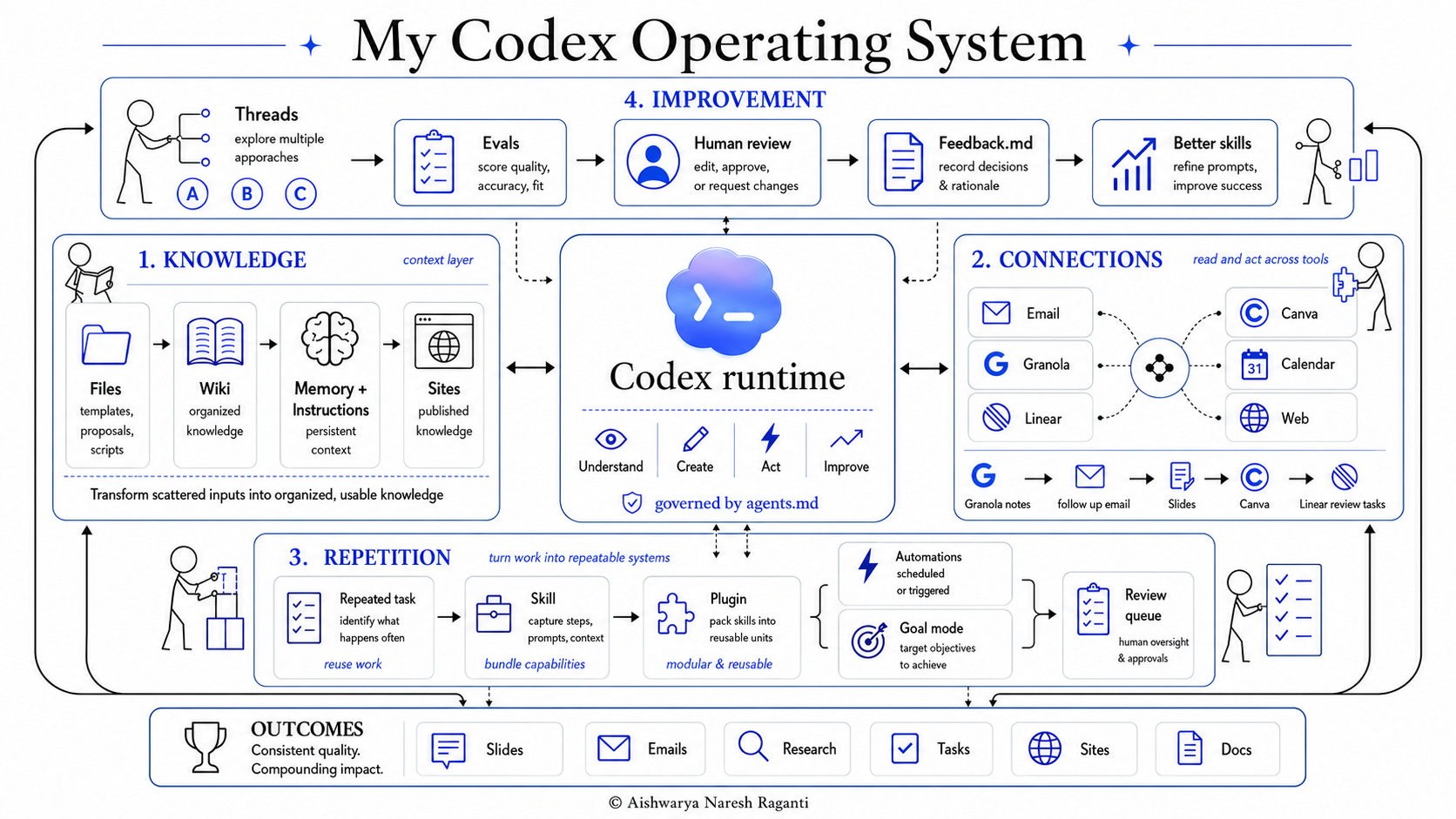
Hope you enjoy the video. If you do enjoy this style of short but knowledge-dense videos, do check out the previous two videos on my channel as well: