


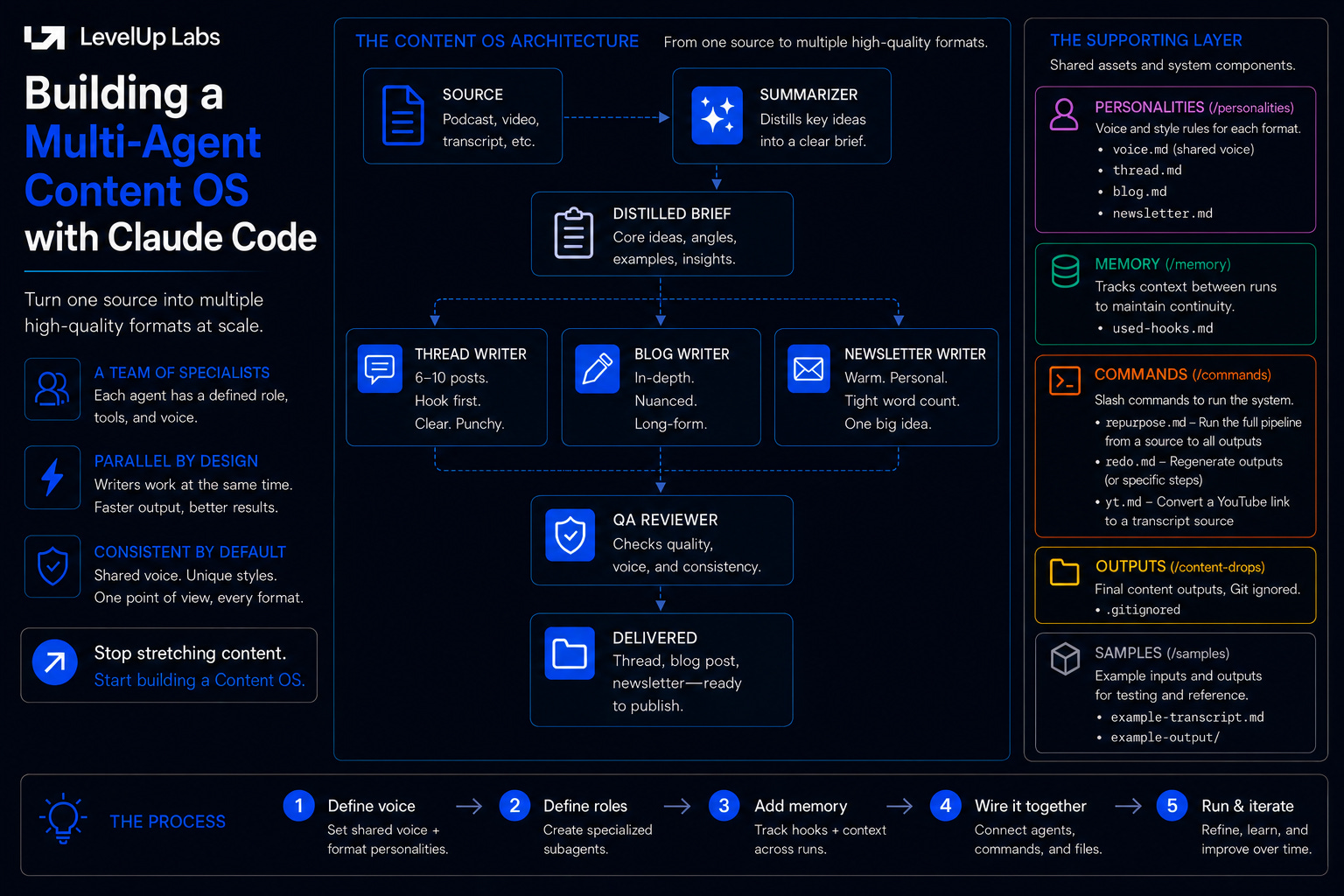
You feed a three-hour podcast transcript into Claude and ask for a thread, a blog post, and a newsletter section. What comes back is the same piece cut into three lengths with the same hook, same examples and same rhythm. One piece of content, badly stretched and flattened into a single voice that fits none of the three formats. So the talk stays a talk, the podcast stays a podcast, and the ten posts that should have come out of it never do.
This looks like a prompting problem, but it isn’t. You are asking one worker to do three different jobs, and no instruction fixes that. This is where subagents come in: a small team of specialists, each with a defined role. We will look at a walkthrough of how to build that team in Claude Code, but most of the steps generalize to Codex or any agent tool with subagents.
Decide how to split the work
Before any of the steps, there is an important question to answer: how do you know this job splits into three agents and not one prompt, or ten? While there is no clean formula and it comes down to trial and error, there is a method you can follow.
Start by thinking about how the work is already organized when humans do it: a content team has writers, editors, and reviewers. This helps define your first draft of the architecture, and it’s a strong default because it has already worked in the real world. Alternatively, you can describe the job to Claude and ask it to propose a breakdown: which roles, what each one reads, where the handoffs are. That is faster than designing on a blank page, and it surfaces decisions you would otherwise hit halfway through building.
Don’t let needing a perfect structure upfront hold you back. Start with a rough version, and you’ll learn how to revise it as you see the results and new failure patterns show up.
Here is the structure we will build:
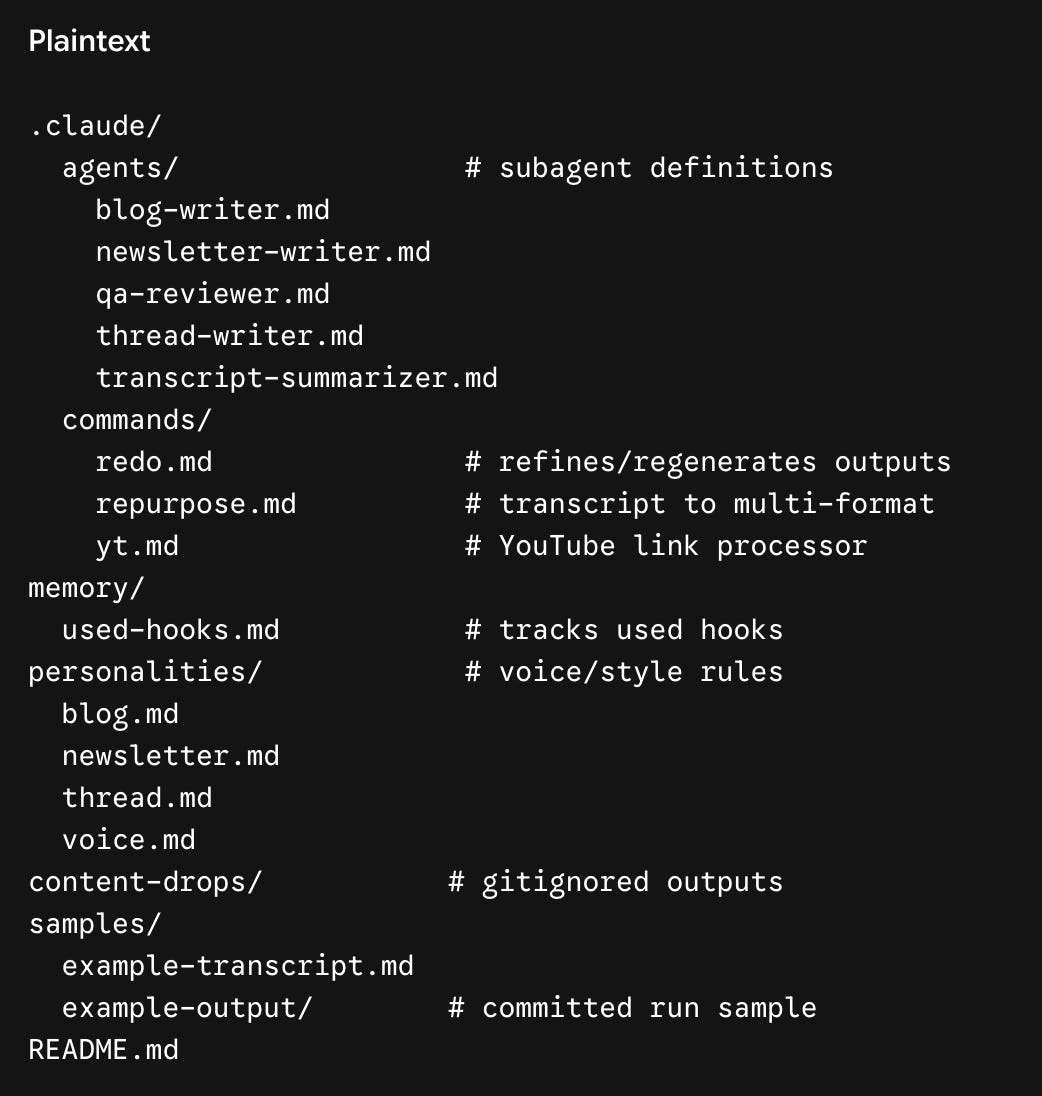
A quick orientation to the layout.
The
.claude/folder is where Claude Code looks for its configuration:agents/holds the subagent definitions,commands/holds the slash commands. Those are the convention-bound locations and Claude Code reads them automatically.Everything else is an ordinary project folder you name yourself.
personalities/holds the voice rules, kept separate from the agent definitions on purpose, so you can change how a thread sounds without touching what the thread writer does.content-drops/is where finished runs land, andmemory/is what the system carries between runs.
One question this might raise: how do you decide what should be an agent, a command, or a skill, and when to use each? Here’s how to think about it.
An agent is a specialist running in its own isolated context. Here we have separate agents for writing the blog, thread, and newsletter, plus agents to summarize the transcript and review the drafts.
A command is an explicit instruction you trigger by name. Here there are three:
/repurposeto run the full pipeline,/ytto pull a transcript from a YouTube link first, and/redoto rerun a single writer.A skill is an implicit capability Claude reaches for on its own when it is relevant. This setup doesn’t use one, but it could. Fetching a transcript from a pasted YouTube link is a good candidate, since that is something Claude should just do when it sees a link, no command name required.
Let’s go through it step by step.
Step 1: Define the shared voice
The first step is the most boring one, and it is the one that decides whether the output sounds like a person or like generic AI filler.
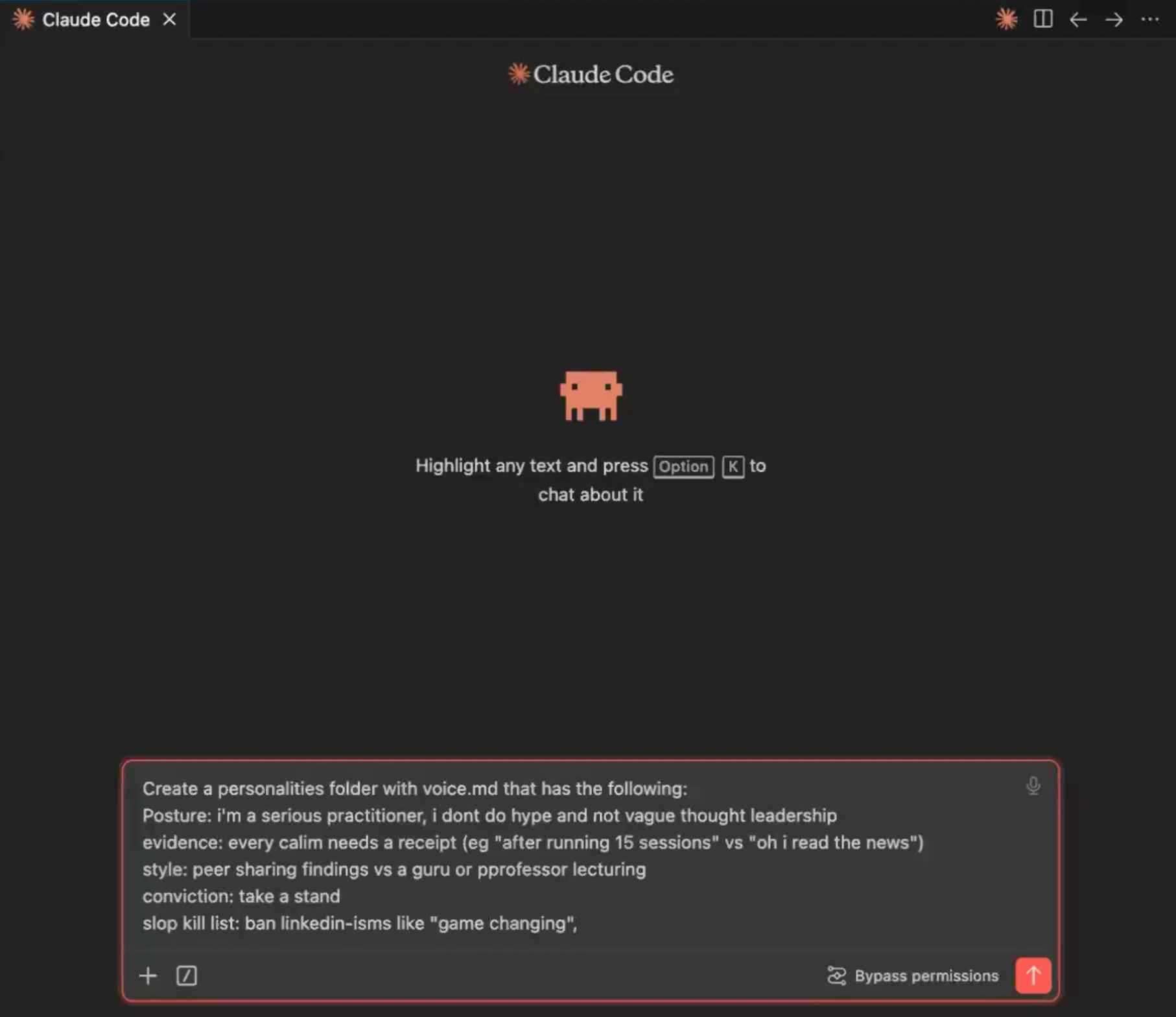
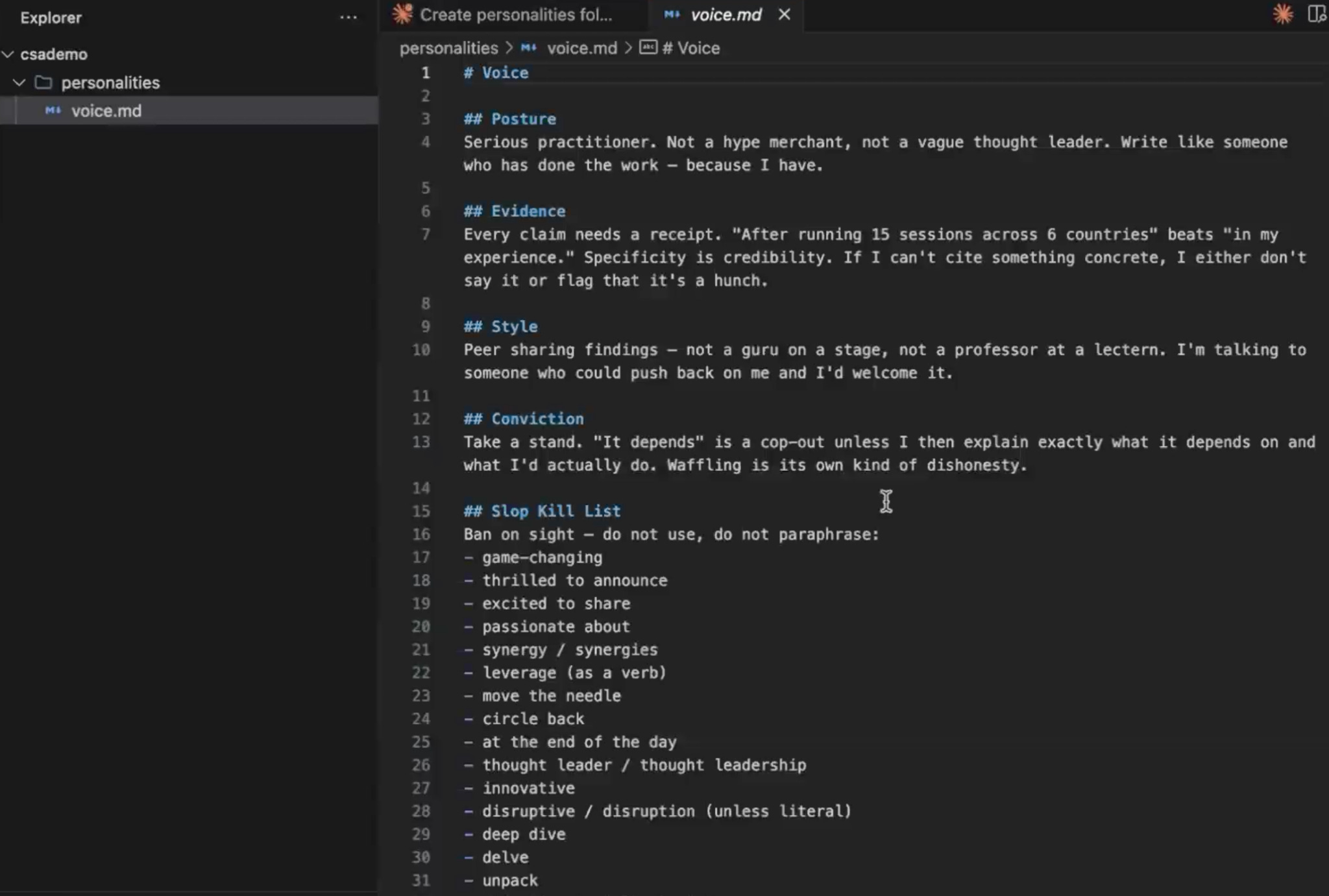
Create a personalities/ folder and inside it, write voice.md. This holds the rules that apply to every piece of content regardless of format: the shared voice. There are two kinds of rules to think about here.
Hard constraints: a banned-phrase list (no “in today’s fast-paced world,” no “game-changing,” no “delve”).
Softer guidance: posture is a practitioner who has done the work, not a thought leader; every claim needs a receipt; take a position instead of presenting both sides.
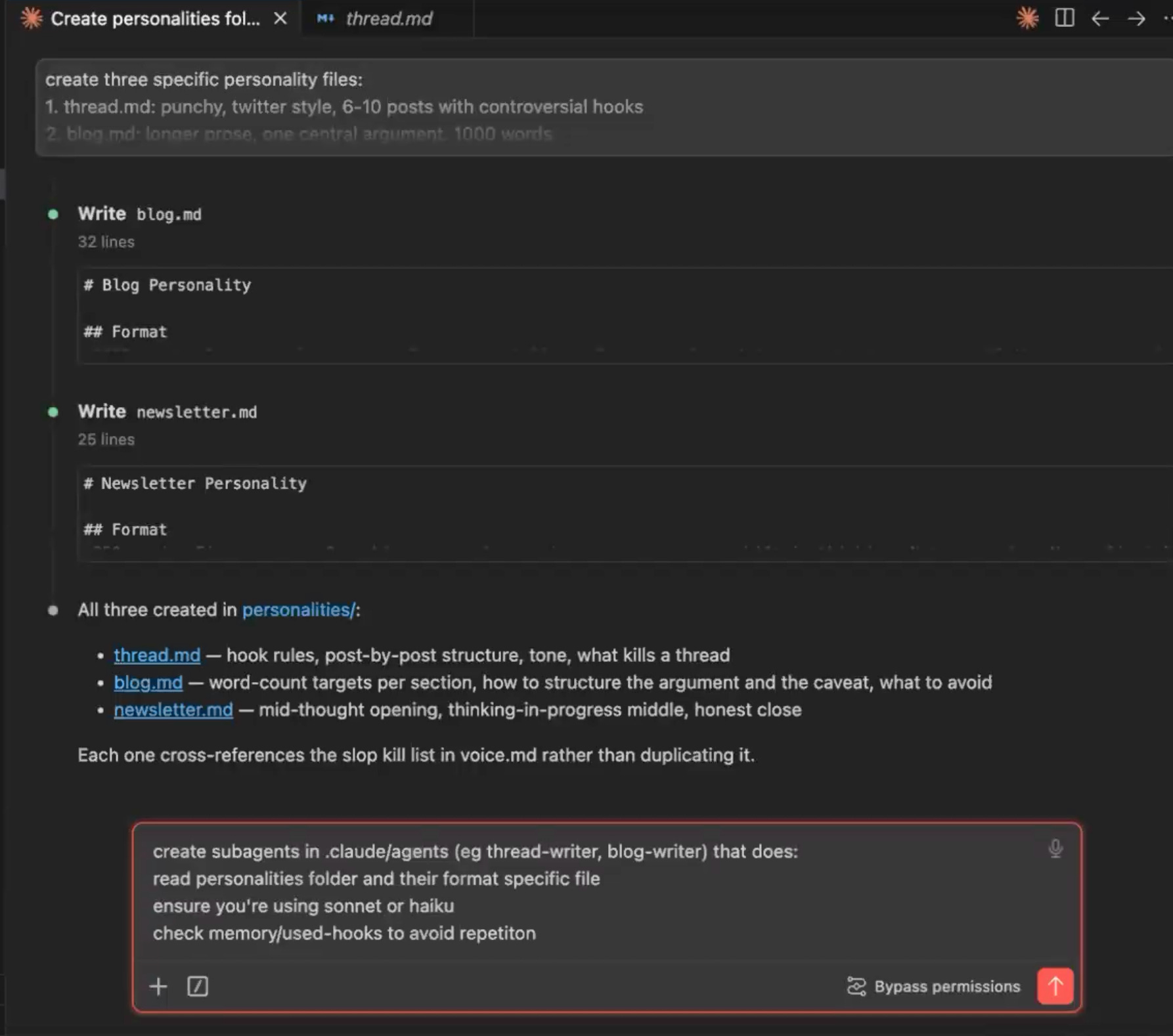
Then write one file per format: thread.md, blog.md, newsletter.md, each with format-specific rules. The shared file is the voice everything inherits; the per-format files are the individual personalities. A reader who sees your thread and your newsletter back to back should feel one consistent point of view in two genuinely different registers.
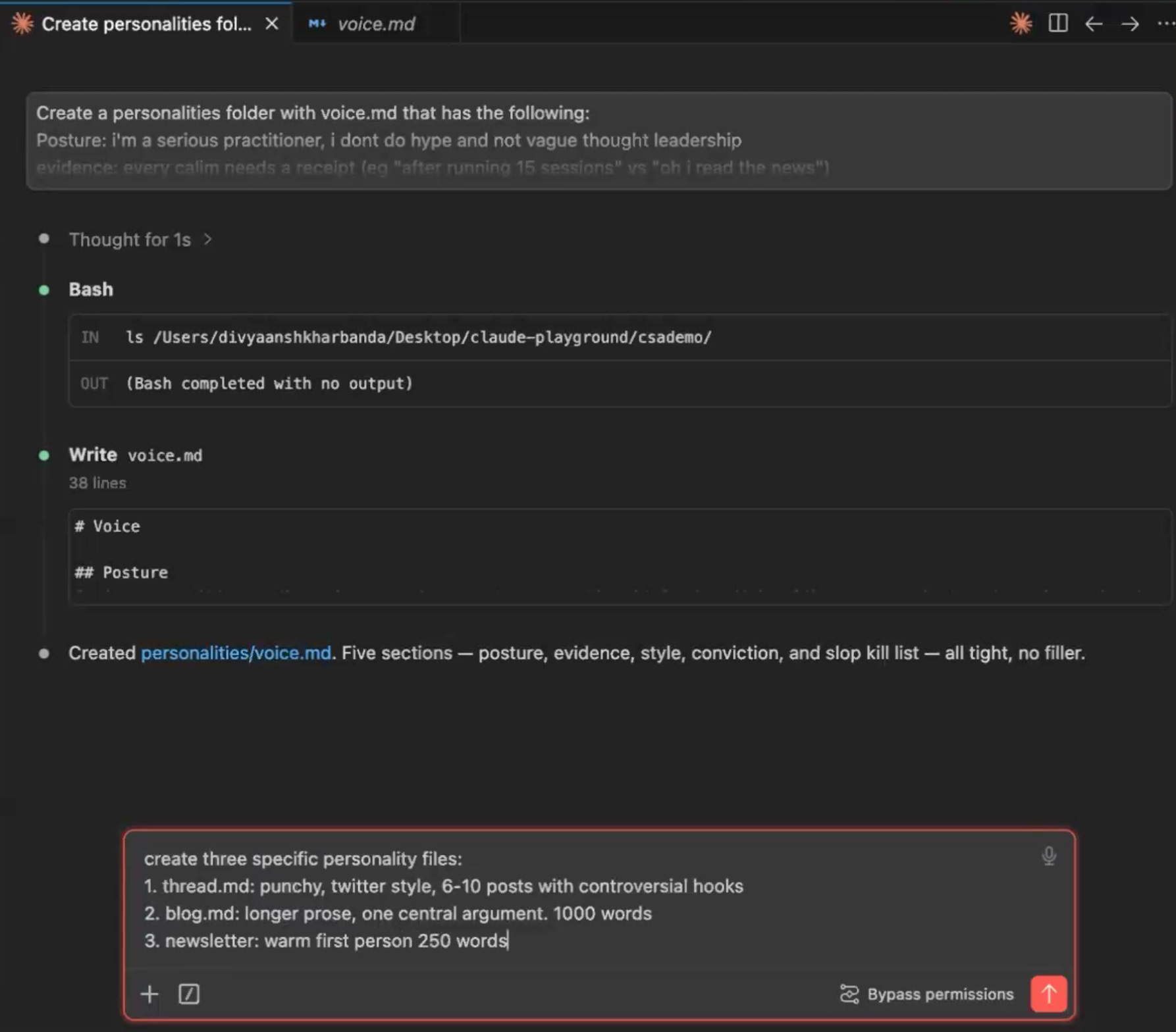
You don’t have to write these files by hand. Describe what you want each one to enforce and Claude will draft it, then you can review and revise. You act like the manager: editing your team’s drafts, not doing the work yourself.
Step 2: Define the roles
This is where the team gets built. Create a .claude/agents/ folder with one markdown file per agent. Before getting to each, it is worth being clear on why these are separate agents rather than steps in a single prompt.
An agent runs in its own isolated context and sees only its task, not the noise of every prior run. That solves two problems at once.
The first is voice collapse. A single context producing three formats blends them, because nothing forces the thread to diverge from the blog.
The second is context pollution. Run a job repeatedly in one session, feeding corrections back in, and the instructions pile up until the model reads 500 lines before it starts, gets slower, and makes more mistakes.
Separate agents also run in parallel, so three writers work at once instead of in a queue. Here we have five agents, in three roles:
The summarizer. A three-hour podcast transcript can run a lot of tokens. Feeding that to all three writers means paying to re-read it three times and flooding each writer’s context with material it doesn’t need. Add a
transcript-summarizeragent so the writers work from the compact brief and the full transcript stays on disk for verbatim quote lookups. This is the highest-leverage move in the system, because context management is most of the real work in building anything multi-agent.The writers. One agent per format:
thread, blog, newsletter. Each definition specifies a description telling the orchestrator when to invoke it, a process (read the personality files, then the source, then write one output file), and a model. The model choice has real cost consequences: pinning writers to a fast, cheap model like Haiku, instead of letting everything default to the largest model, is the difference between a sustainable system and burning a weekly usage budget in thirty minutes.The editor. The most important agent is the one that catches mistakes. A
qa-reviewerreads all three drafts against the source and checks three things: off-brand voice, factual drift (an invented statistic, a misattributed quote), and cross-format repetition. QA does not rewrite. It triages, writing a human-readable brief and a machine-readable JSON file of per-piece issues. The orchestrator reads that JSON and dispatches a single revision round only to the writers it flagged. One round, and then it stops. An unbounded QA-revision loop is the classic agent failure: it never quite satisfies itself, iterates all night, and bills you for it.
Coordinating all five is the orchestrator. That isn’t a sixth agent. It is your main Claude Code session, acting as the manager: it dispatches the agents, collects their files, and routes revisions, but never writes any content itself. In step 4 we will see the command to set it up.
Step 3: Give the system a memory
Create a memory/ folder with a used-hooks.md file. After every run, the orchestrator appends the opening lines of each piece. Before drafting, every writer reads that file and treats its contents as anti-patterns: openers not to reuse. Without this, every thread eventually opens with the same contrarian-claim structure, and the thirtieth post sounds like the third. Cap the file at the most recent twenty entries so the memory itself never becomes context bloat.
Where you put a memory file is its own decision. Claude Code has two scopes.
Global memory lives in your home directory and every project on your machine reads it.
Project memory lives inside the repo and only that project reads it.
The choice depends on what the memory is for. Something like “I am a practitioner, here is who I am” is reasonable to keep global, so every project inherits it. Hook history is the opposite. It is specific to this content project, and you do not want its openers bleeding into unrelated work. So used-hooks.md lives inside the project, deliberately scoped as local.
Step 4: Wire it together with a command
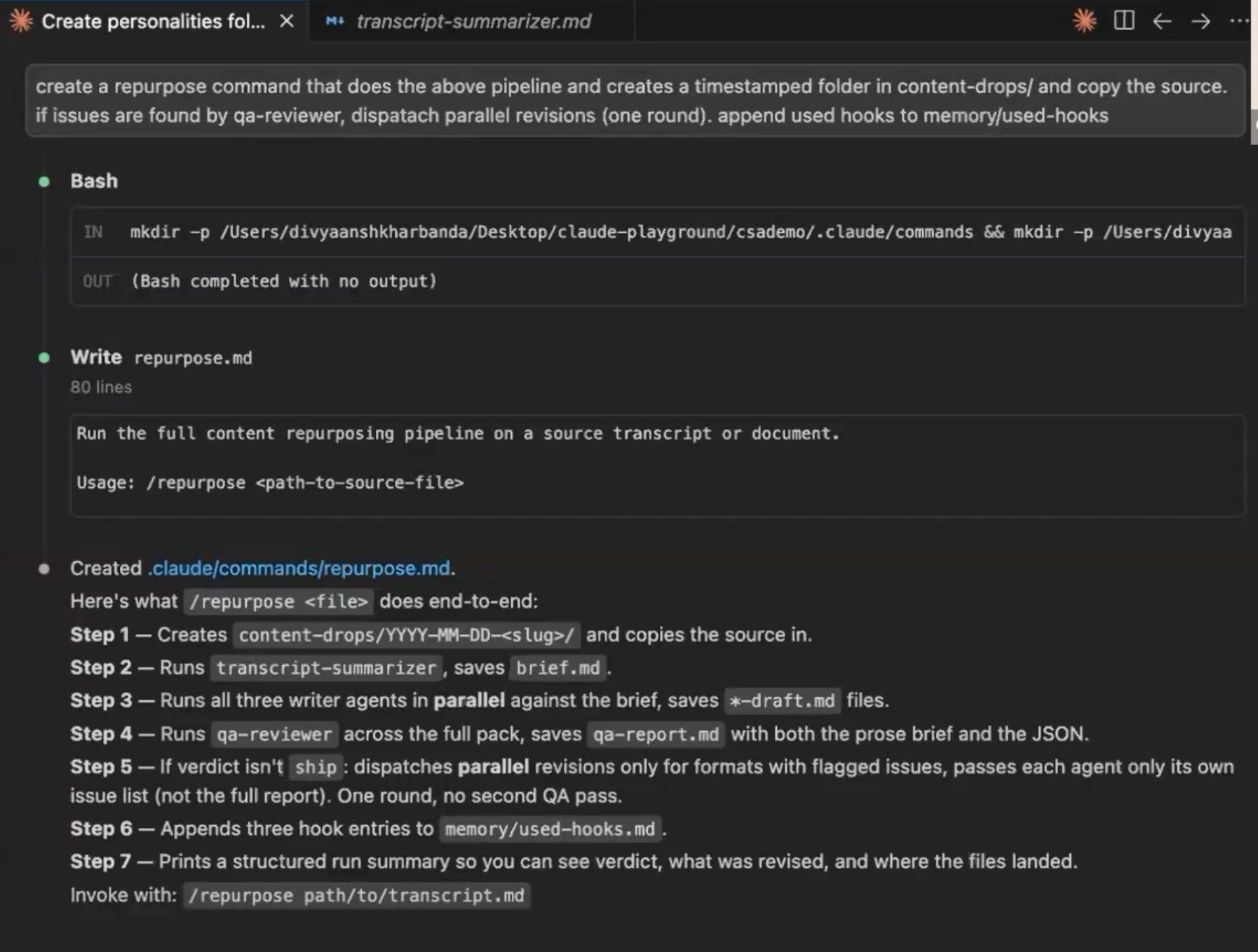
Finally, create a .claude/commands/ folder with a repurpose.md file that gives the orchestrator its instructions: validate the input, create a timestamped output folder, summarize if the source is long, dispatch the three writers in parallel, run QA, run one revision round if needed, update the hook memory, and report a single line back. The drafts never flood the main session and land in a folder, ready to copy.
Run it
That is the whole system. Clone the repo and give it a try.
Here is what running it looks like end to end. Drop a transcript into the repo and point the command at it:
/repurpose samples/example-transcript.md
If you have a YouTube link instead of a file, the /yt command fetches the transcript first and then runs the same pipeline:
/yt [YouTube link]
In either case, the orchestrator will:
Create a timestamped folder under
content-drops/Run three writer subagents in parallel, each with its own context and personality
Run a QA subagent over the outputs against the original transcript
Report one line to the main session
The pieces are ready to copy out. If one came back flat, /redo <writer> <folder> reruns just that writer.

To add a fourth format later, the pattern is the same four files:
Add a new subagent file at
.claude/agents/<name>-writer.mdfollowing the pattern of the existing ones.Add a matching personality file at
personalities/<name>.mdAdd the new subagent name to the parallel dispatch list in
.claude/commands/repurpose.mdTeach the QA reviewer about the new file in
.claude/agents/qa-reviewer.md
Try This on Your Own Work
A content team is one use of this structure, but the main point is the shape underneath it: a manager, a few specialists, a reviewer, and a small memory that keeps the work from repeating itself.
The same structure runs a research pipeline, a code-review loop, or a small simulated company where you play CEO. Once you have built it once, you stop seeing AI as a single assistant that you prompt one task at a time, and start seeing it as something you organize and manage.
So the next time you catch yourself running the same multi-step job by hand, don’t reach for a longer prompt. Sketch how a small team would split the work. Then build that team.
This article grew out of a live Chai & AI session where practitioners debated how to split work across AI subagents and where that breaks down. These sessions happen regularly and get quite animated. It’s invite-only for course alumni, but we’ll keep sharing highlights here every week.
The architecture here is solid. Separating the summarizer, thread writer, newsletter writer, and QA reviewer into distinct agents with shared memory is the right way to think about it. Most teams try to do this with one prompt and wonder why consistency breaks down at scale. Well done.